The useful way to choose couch co-op games is to ask what your group wants to coordinate. A kitchen, a spaceship, a chain of dangling arms and a spell battle can all put friends in one shared view, but they create very different evenings. These 17 Steam PC picks are grouped by that difference, with local team sizes, current store platform listings and the main reason to hesitate.
This guide concerns native local cooperative modes on one computer with a common gameplay view. It excludes competitive-only modes, console-only couch support and split-screen-first recommendations. Online modes and Steam Remote Play streaming are separate arrangements. The table is a starting point for choosing the game; the setup section explains what its labels cannot promise about your equipment.
Jump to: quick choice · comparison and setup · work and supply · shared bodies and vehicles · action and builds · objects and adventure · sources and method
Choose the kind of teamwork first
- Want to revise a plan between attempts? Start with PlateUp!, then compare its player-built workplace with Overcooked! 2's changing kitchens and Unrailed!'s moving supply deadline.
- Want everybody tied to one physical problem? Heave Ho, Bread & Fred and PHOGS! make bodies and movement interdependent. Lovers and Ship of Fools instead put a crew inside a shared vehicle.
- Want combat with different contributions? Compare Castle Crashers' growing characters, Ember Knights' run builds, Morta's family, Streets of Rage 4's brawling and Nine Parchments' dangerous spells.
- Want to manipulate a space together? KeyWe offers postal machinery, Pile Up! makes players into building blocks, Trine 5 combines character powers, and Wild Woods links preparation to wagon defense.
Cute art is not a difficulty setting. Bread & Fred can punish a missed jump; Nine Parchments includes friendly fire; KeyWe still asks the pair to meet work deadlines. Choose the friction your group enjoys rather than assuming every couch game is relaxing.
That distinction comes from real differences in what players ask for. In a January 2025 pair's request, they enjoyed Castle Crashers but wanted to avoid games that felt like work. A May 2026 discussion includes an Overcooked stress complaint and a different player's preference for PlateUp!'s layout-and-progression structure. Those individual perspectives inform the groups below; they are not a universal verdict on either game.
Local players, shared problems and setup limits
The people column describes the cooperative local team, not an online limit or the number of characters available. Platform names below are current Steam listings, not modern macOS compatibility, Linux-driver or Steam Deck performance tests. The wide comparison scrolls horizontally on a phone.
| Game | Local team | Shared problem | Important limit | Steam platforms |
|---|---|---|---|---|
| PlateUp! | Up to 4 | Restaurant layout and service | Service pressure; one keyboard player per PC | Windows |
| Overcooked! 2 | Up to 4 | Cooking handoffs in changing kitchens | Countdowns and repeated kitchens | Windows, macOS, Linux |
| Unrailed! | Up to 4 | Supply for an advancing railway | Tools and next-track deadline compete | Windows, macOS, Linux |
| Heave Ho | Up to 4 | Grip chains and shared momentum | Missed grabs can undo the group's crossing | Windows, macOS |
| Lovers in a Dangerous Spacetime | 2–4 | Moving between ship stations | Several simultaneous threats compete for the crew | Windows, macOS, Linux |
| Ship of Fools | 2 | Cannon, repairs and route decisions | Combat pressure and reported device-detection issues | Windows |
| Bread & Fred | 2 | Rope anchoring and synchronized jumps | A shared fall can erase climbing progress | Windows, macOS |
| PHOGS! | 2 | Two heads of one stretchy body | The body ties movement choices together | Windows |
| Castle Crashers | Up to 4 | Side-scrolling combat with character growth | Combat and growing move sets are central | Windows, macOS |
| Ember Knights | Up to 4 | Run builds and coordinated action | Dodging, timing and repeated runs matter | Windows |
| Children of Morta | 2 | Different family heroes and shared progression | Dungeon combat remains a substantial part of the loop | Windows, macOS, Linux |
| Streets of Rage 4 | Up to 4 | Brawler spacing, timing and crowd control | Action execution and repeated fights are the point | Windows, macOS, Linux |
| Nine Parchments | Up to 4 | Spell elements, positioning and friendly fire | Spells can harm friends as well as enemies | Windows |
| KeyWe | 2 | Physical postal tasks and seasonal hazards | Still task and deadline pressure, despite the cute setting | Windows |
| Pile Up! Box by Box | Up to 4 | Stacking bodies and boxes into routes | Agree whether to explore or optimize a route | Windows |
| Trine 5: A Clockwork Conspiracy | Up to 4 | Combining character powers for traversal and combat | Includes platforming, battles and bosses | Windows |
| Wild Woods | Up to 4 | Gathering by day, protecting a moving wagon at night | Night attacks and a changing development build | Windows |
For a conventional setup, plan a separate controller per person and check the exact game's input documentation before buying or arranging the evening. We have not tested your controller model, Bluetooth link, drivers or Steam Input configuration. A store controller-support label alone does not verify a multi-device setup.
There are useful documented exceptions: PlateUp! permits one keyboard player alongside controllers; Unrailed! advertises split-keyboard and split-controller options; PHOGS! lists shared-controller play. Do not transfer one game's exception to the others. The original Heave Ho has a concrete player report about keyboard/controller friction. A Ship of Fools thread contains differing device reports, developer replies and an unverified user workaround. These are reasons to check your setup, not proof every copy is broken or instructions to alter Windows.
Work and moving supply chains
PlateUp!: change the layout, then see whether your plan survives service
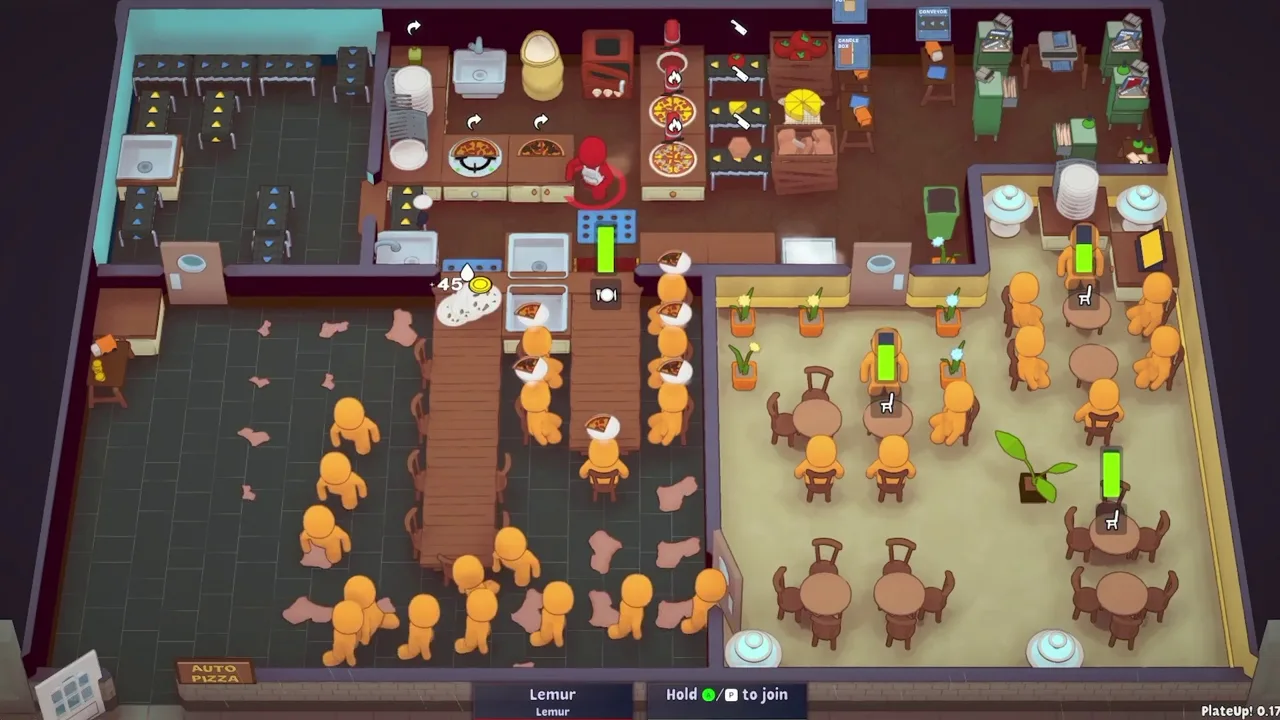
PlateUp! combines cooking and serving with the ability to buy, move and eventually link appliances. The important difference from Overcooked! 2 is that your group owns the arrangement of the workplace. Between shifts, you decide where the equipment goes and how the next day should run. The developer describes a push through 15 restaurant days before franchising, with progression and changing restaurant conditions.
That makes a bad service useful information. If the server repeatedly needs to cross the cook's path, the next decision can be to move a counter or change the route, rather than simply asking everyone to move faster. This is our suggested way to divide the work, not a tested optimal build: one person cooks, another handles tables, and the group uses the planning phase to identify the collision they want to remove. With more players, agree who may rearrange an appliance before everybody starts moving the room at once.
Best fit: a group that enjoys discussing a plan and then revising it after a visible failure. Think twice if: one player wants to dictate the layout while everyone else only carries plates. More people create more input into the design, not automatically a calmer restaurant.
For inputs, the PlateUp! wiki's Controls page documents one keyboard player per computer, with controllers usable alongside that keyboard. For four people, plan one keyboard plus three controllers, or a controller each. The wiki also explains that all active players ready up to start the day, and that controls can be changed through the beds at Headquarters. It is useful setup documentation on the game's domain; it does not certify your particular Bluetooth, driver or Steam Input arrangement.
Overcooked! 2: keep the handoff working when the kitchen changes
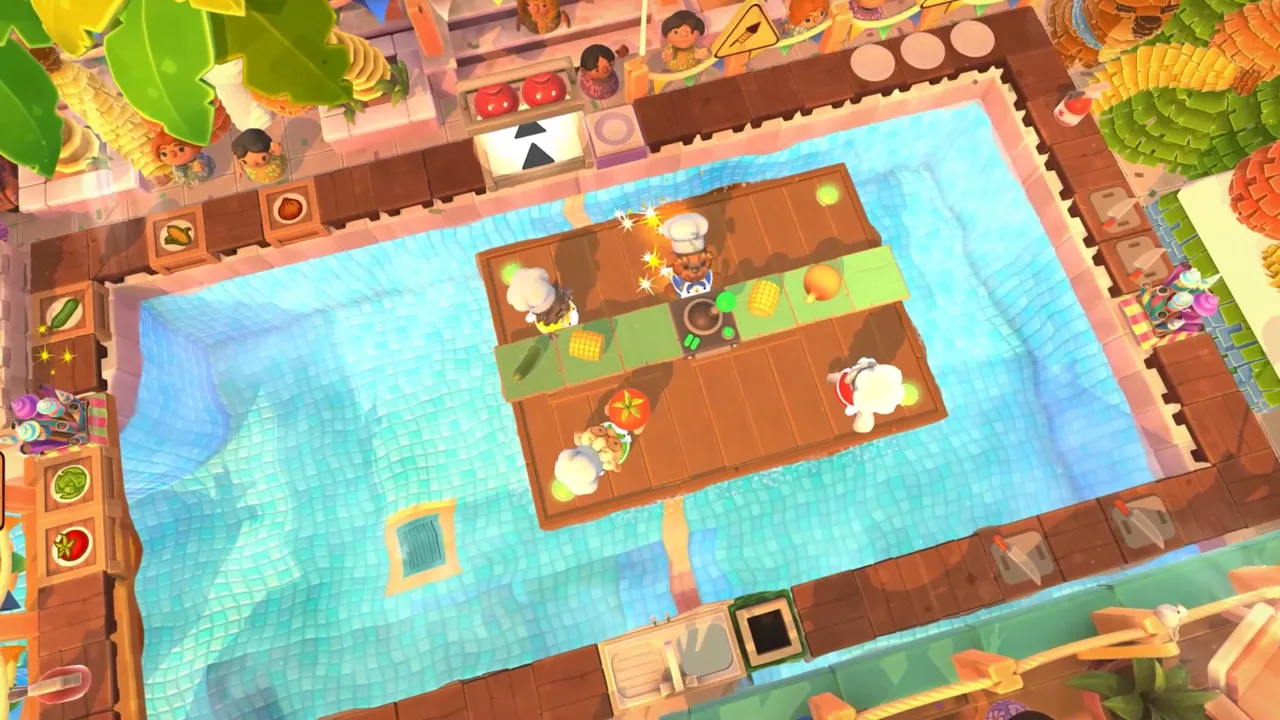
Overcooked! 2 centers the problem on the level rather than a restaurant you build. Its official description includes throwing ingredients, moving platforms and teleporters; kitchens can shift or carry the cooks into a new location. A shared camera lets everyone see the workspace, but it does not decide who should handle the next stage of an order.
Compared with PlateUp!, the useful question is whether you want to redesign the room or adapt to the room you are given. A group can start with simple stations—ingredients, preparation, cooking, delivery—then renegotiate when access changes. Calling out a handoff before two people chase the same ingredient is a practical starting approach, not a claim that these roles work unchanged in every kitchen. Throwing ingredients adds another handoff option; it is not a reason for every cook to abandon their station.
Best fit: friends who enjoy recovering from disrupted plans and learning a particular level together. Think twice if: a countdown or the need to repeat a kitchen is what makes a game unpleasant for your group. Its local support is not evidence that every mixed-experience group will find it gentle.
Team17's current multiplayer FAQ confirms 1–4 players locally or online. This page covers Overcooked! 2, not Overcooked! All You Can Eat. Team17 distinguishes their cross-play arrangements and says the two editions cannot cross-play with each other. That difference is relevant if you later move the group online; do not buy a differently named edition just because its footage looks similar. For the local PC evening described here, prepare separate controllers and verify all chefs can join before choosing the level.
Unrailed!: organize a supply line that has to move with the train
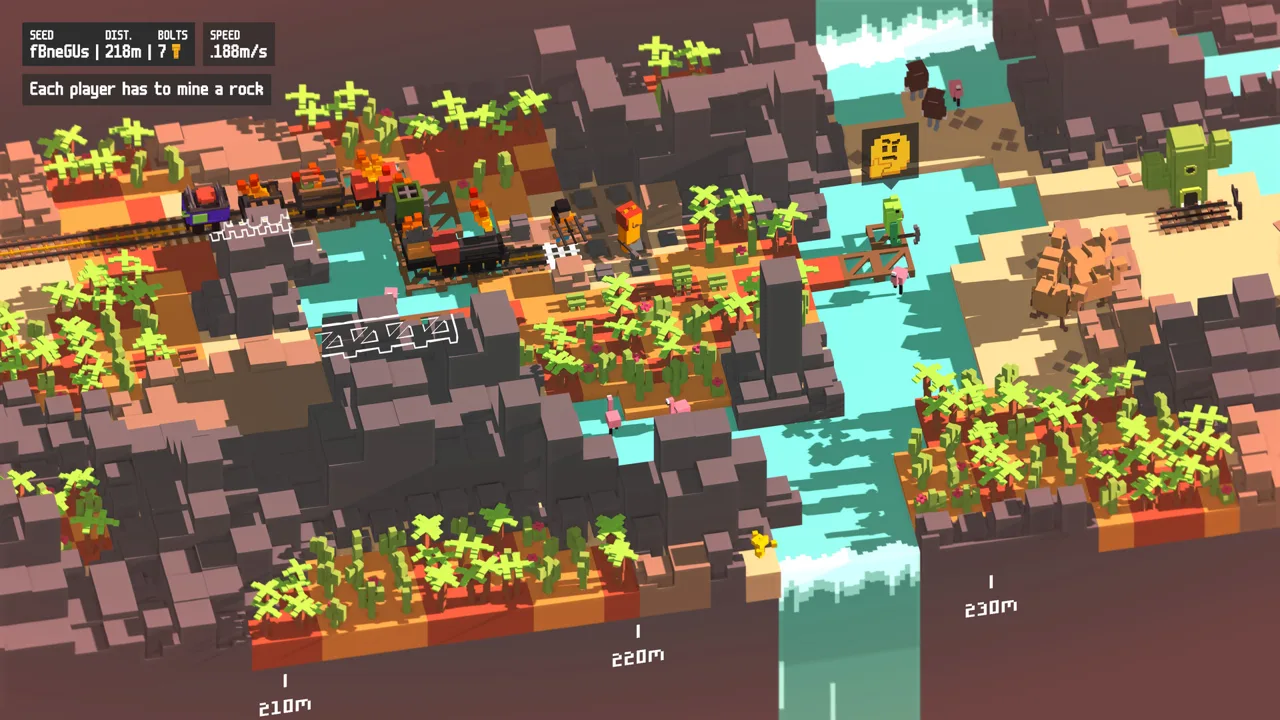
In the original Unrailed!, the team gathers resources, crafts rail and places the route before the train reaches its end. The developer points out a useful constraint: there is only one tool of each type. Coordination therefore includes who has the tool, where the resources sit and whether everyone can still reach the crafting wagon. The official site also describes watering the train, upgrading wagons and environmental choke points.
This creates a different shared-screen problem from either kitchen. The workspace travels. A perfectly sensible wood pile becomes less useful if it is stranded behind the team's route, and an available pickaxe does not help if nobody knows where it is. Our suggested first division is resource gathering, track production and placement, with somebody explicitly watching the train and water. Treat these as responsibilities to hand over when necessary, not permanent classes built into the game.
Best fit: players who like a single team objective and visible resource flow. Think twice if: your group wants time to finish a discussion before anything advances. The developer describes restarting after a crash by default, while checkpoints can lower the stakes. Choose those deliberately instead of assuming the default is a relaxed sandbox.
The original game's official page distinguishes co-op for up to four from competitive 2-vs-2 play, and confirms that local and online players can be mixed. The Steam description explicitly lists split keyboard and split controller modes: here “split” describes an input arrangement, not proof that cooperative play divides the display. We have not tested the key bindings or controller-sharing ergonomics. If equipment is tight, confirm that arrangement in the game before making it the basis of the evening. This section covers Unrailed!, not Unrailed 2: Back on Track.
Shared bodies, ropes and vehicles
Heave Ho: grip chains and shared momentum

Heave Ho turns cooperation into a problem of where everybody's hands are. You grab scenery or another player, build a dangling chain and swing toward the next safe surface. Compare that with Bread & Fred: Heave Ho spreads the physical problem across a party, while the penguin climb binds a pair with a rope. The useful conversation is often who must keep holding on while someone else reaches.
Choose it when the mistake itself can be entertaining. Think twice if repeating a failed crossing will frustrate your group, or if a simple-looking control scheme is being mistaken for an effortless game. The original game's store describes couch play and Remote Play streaming; this is not evidence of native online matchmaking. A player thread also reports keyboard and controller friction. Prepare the intended devices and verify everybody can join; we have not tested that configuration.
Lovers in a Dangerous Spacetime: moving between ship stations
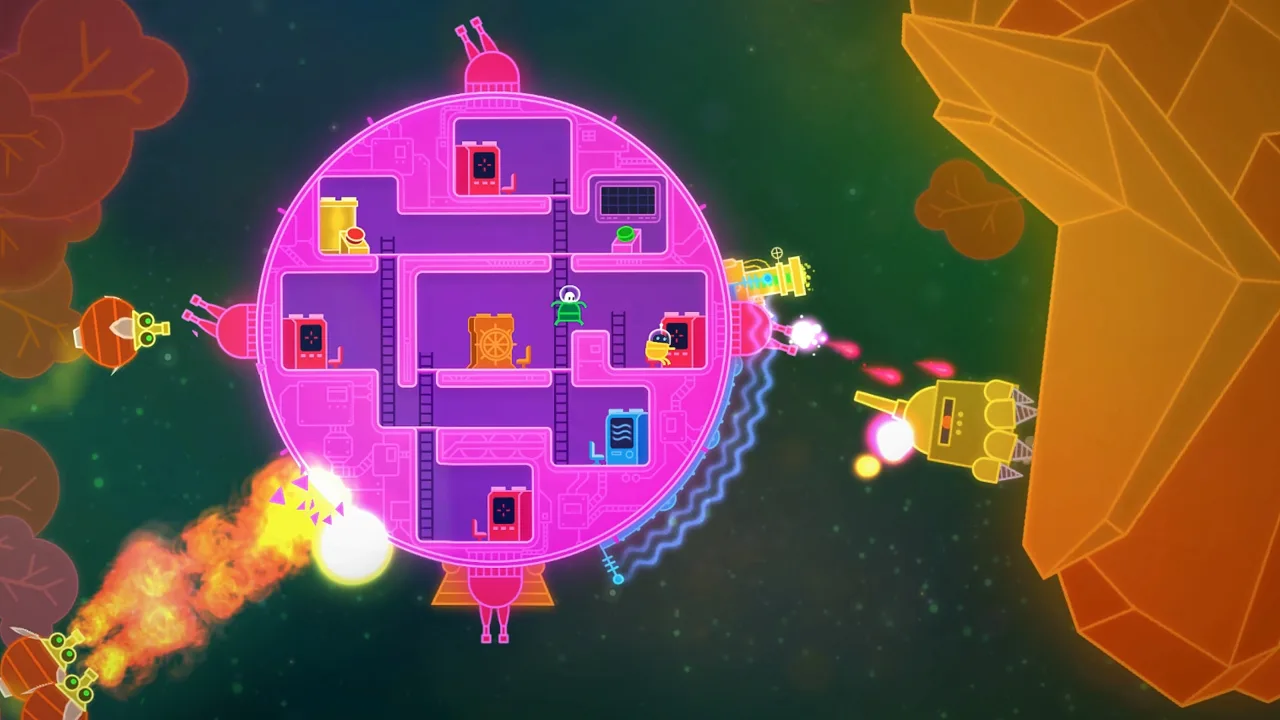
Everybody occupies the same ship, but nobody has to stay glued to one weapon. Crew members run between guns, shields and engines as the surrounding threats change. This makes it a different shared-vehicle choice from Ship of Fools: Lovers spreads attention across several stations and can accommodate a larger local crew.
A useful starting agreement is who watches the ship's protection and who calls for movement; it is a suggested way to communicate, not a tested winning formation. Choose it for friends who enjoy switching jobs in response to danger. Think twice if simultaneous alarms are exactly what your group dislikes about cooking games. The official description specifies two to four local humans, or a solo player with an AI companion. A player request for online support is not proof that native online play was added; Remote Play remains a separate streaming arrangement.
Ship of Fools: cannon, repairs and route decisions
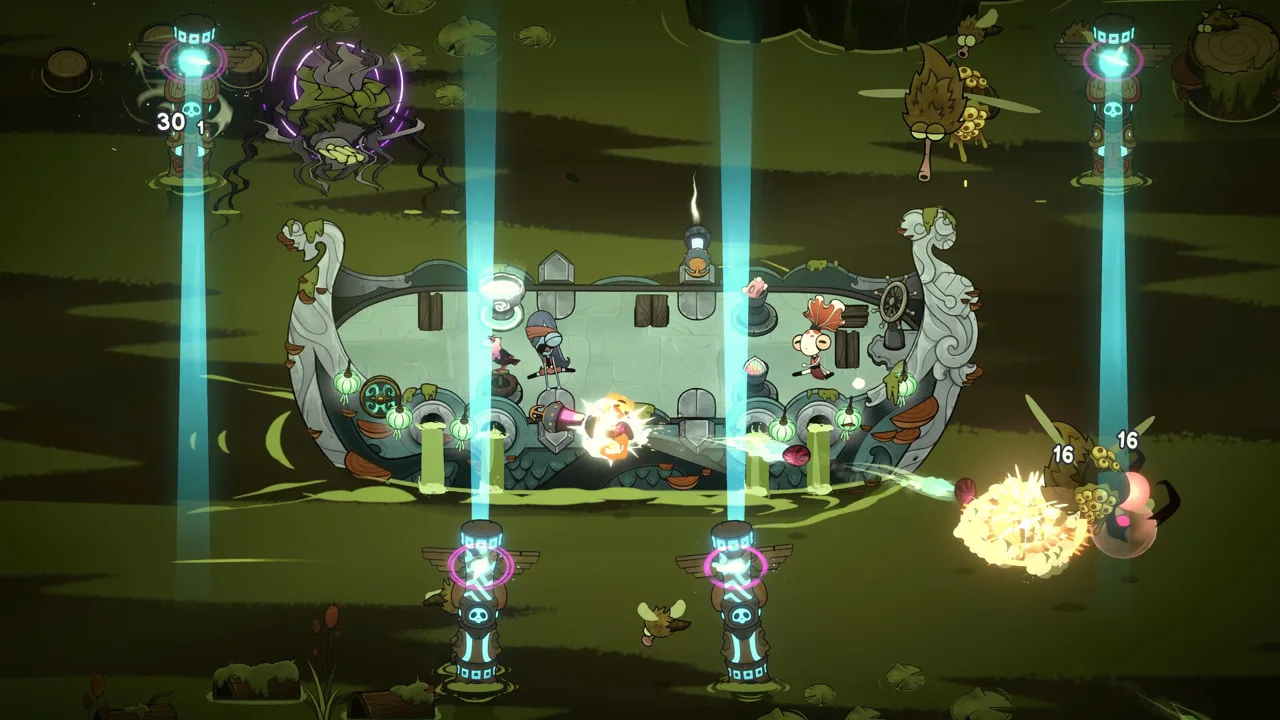
Ship of Fools gives a pair a small working deck instead of a whole starship. You divide attention between firing, moving ammunition, repairing damage and handling enemies that threaten the boat. Trinkets and artifacts add a build-combination layer, while the changing storm makes the route itself a decision. It is the choice here for a shared vehicle with repeated roguelite voyages rather than a long line of identical chores.
The tradeoff is that a mistake in one job can immediately increase the other person's workload. Pick it for a pair willing to renegotiate priorities under attack, rather than for a guaranteed peaceful evening. The developer's co-op guide explicitly confirms shared-screen local play through Play → Local. A separate player thread contains unresolved second-controller reports and a later user-proposed workaround; the developer acknowledged the information, not a verified universal fix. We do not recommend changing Windows devices on that evidence.
Developer co-op and solo guide.
Bread & Fred: rope anchoring and synchronized jumps
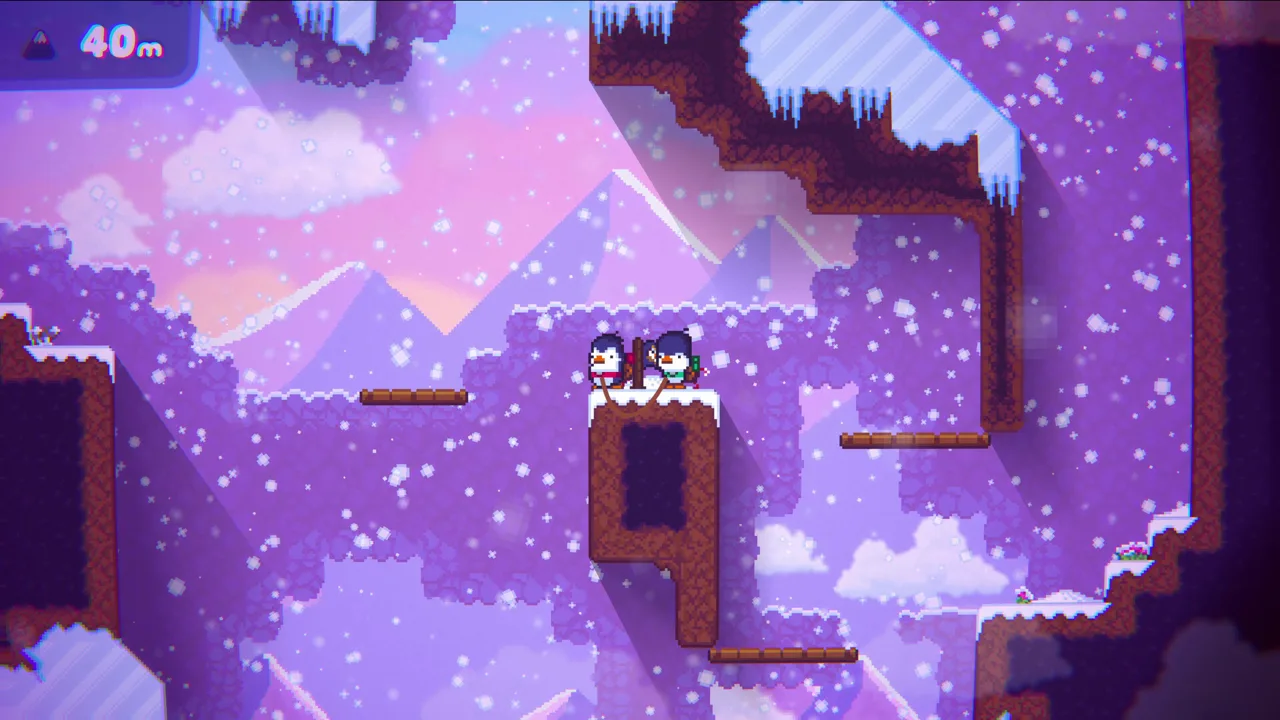
The rope makes your partner part of the platforming machinery. One penguin anchors while the other swings; the pair then has to turn that movement into a landing. It is a more deliberate physical bargain than Heave Ho's larger grasping chain: agree when to hold, when to jump and when the other person is ready.
Choose it if repeated attempts and improving one coordinated movement are the attraction. Think twice if losing altitude will turn a small mistake into an argument. The official description explicitly warns that falls become more consequential as you climb, and that wall grips do not last indefinitely. The cute penguins are not evidence of low difficulty. Its solo option attaches the rope to a rock; that is a different arrangement from the two-human session described here. Local device compatibility has not been tested by us.
PHOGS!: two heads of one stretchy body
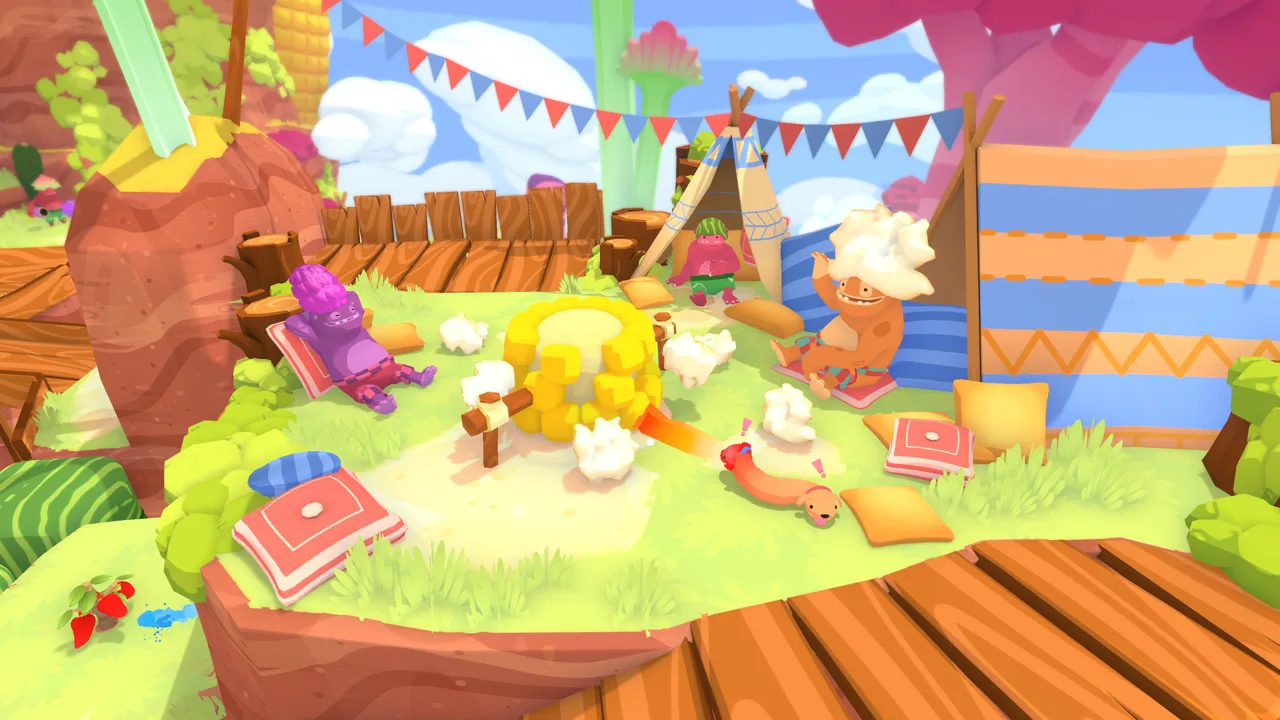
PHOGS! asks a different question from a game in which each person has a free-roaming avatar: what happens when you share the body? The two dog heads bite, bark and stretch around environmental obstacles. Compared with Bread & Fred, the store emphasizes puzzle-filled themed worlds rather than a punishing ascent, but the connection still means one person's movement affects the other.
Choose it when the idea of negotiating a shared shape sounds more appealing than keeping separate combat builds. Think twice if either player mainly wants to explore independently. The official description lists local co-op, online co-op and shared-controller play. That shared-controller option is a useful exception to the usual plan of a controller each; it is not a promise that all keyboard, controller and operating-system combinations work. We have not tested those mixes.
Action, character growth and dangerous builds
Castle Crashers: side-scrolling combat with character growth
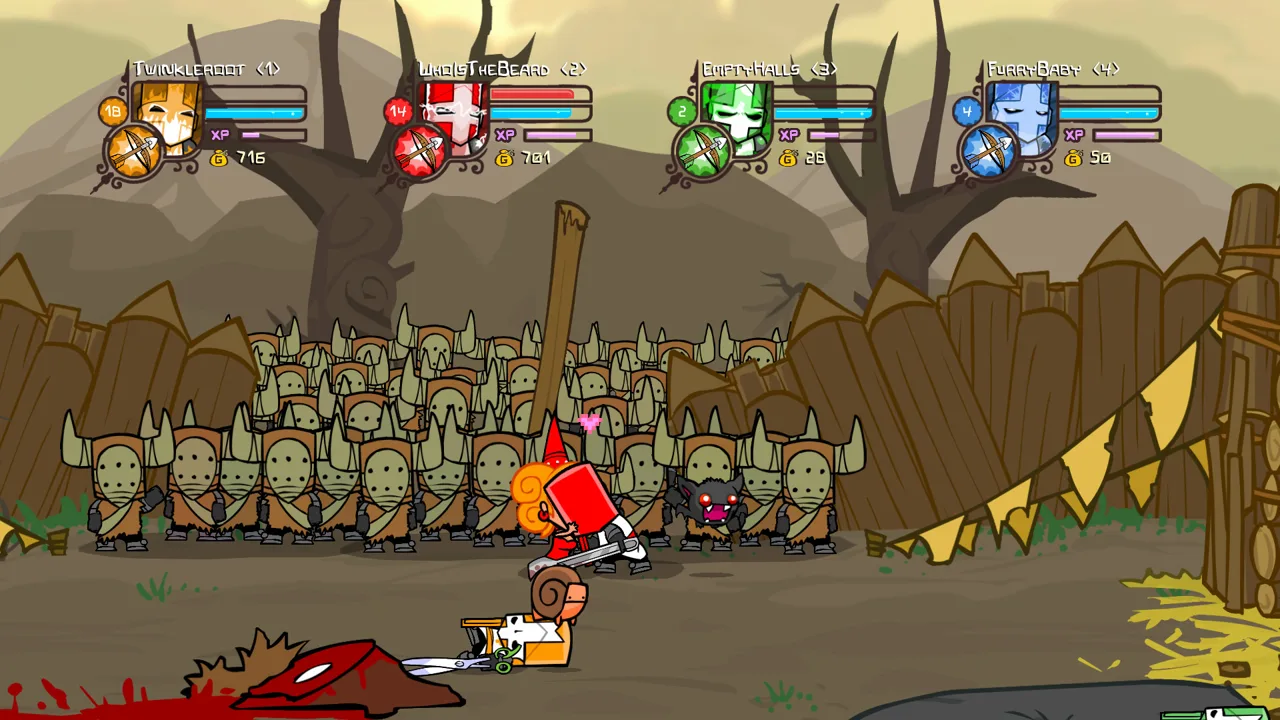
Castle Crashers combines a side-scrolling group fight with character development: allocate attributes, unlock attacks and carry a growing collection of weapons and animal companions into the adventure. Compared with Streets of Rage 4, the selection decision is how much persistent character growth you want alongside the brawling.
Choose it for a group who want to keep building their characters between fights. Think twice if learning additional attacks is precisely what a less experienced participant wants to avoid; local support does not make the combat equally accessible to everyone. The official description confirms up to four local players as well as an online option. Painter Boss Paradise is a separately described DLC, not a second game in this list or a requirement we attach to the base adventure. Check which content your group actually owns before comparing screenshots.
Ember Knights: run builds and coordinated action
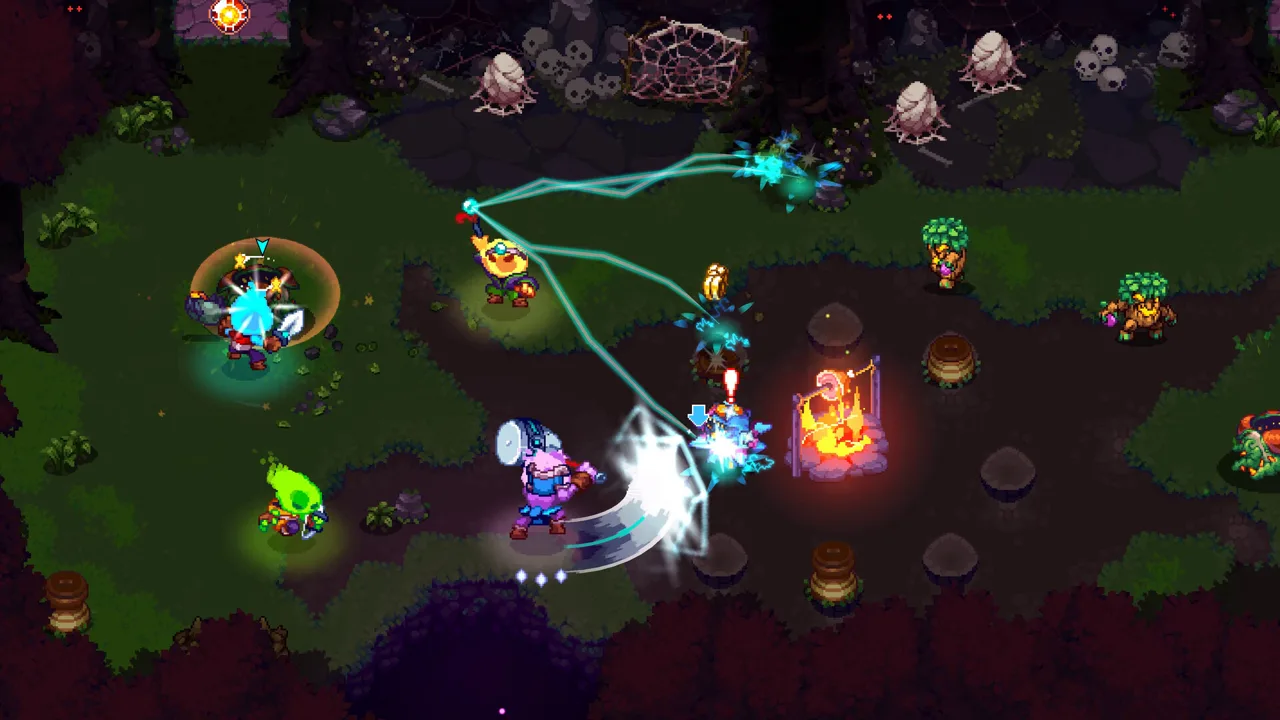
Ember Knights lets the group cooperate through build choices as well as positioning. Weapons, skills and relics change what each knight contributes, so the useful comparison with Children of Morta is run-level experimentation versus a story about a developing family of heroes. Four-player support also gives Ember Knights a different group-size role.
Choose it if discussing combinations is part of the appeal, then expect to execute those ideas through action. The official description emphasizes dodging, timed attacks and adapting to enemies; this is not a low-twitch recommendation just because the characters are small and colorful. A sensible starting discussion is which effects complement another player's weapon, not an assumed optimal composition. DLC footage and later content should not be treated as proof that every depicted item belongs to the base purchase.
Children of Morta: different family heroes and shared progression
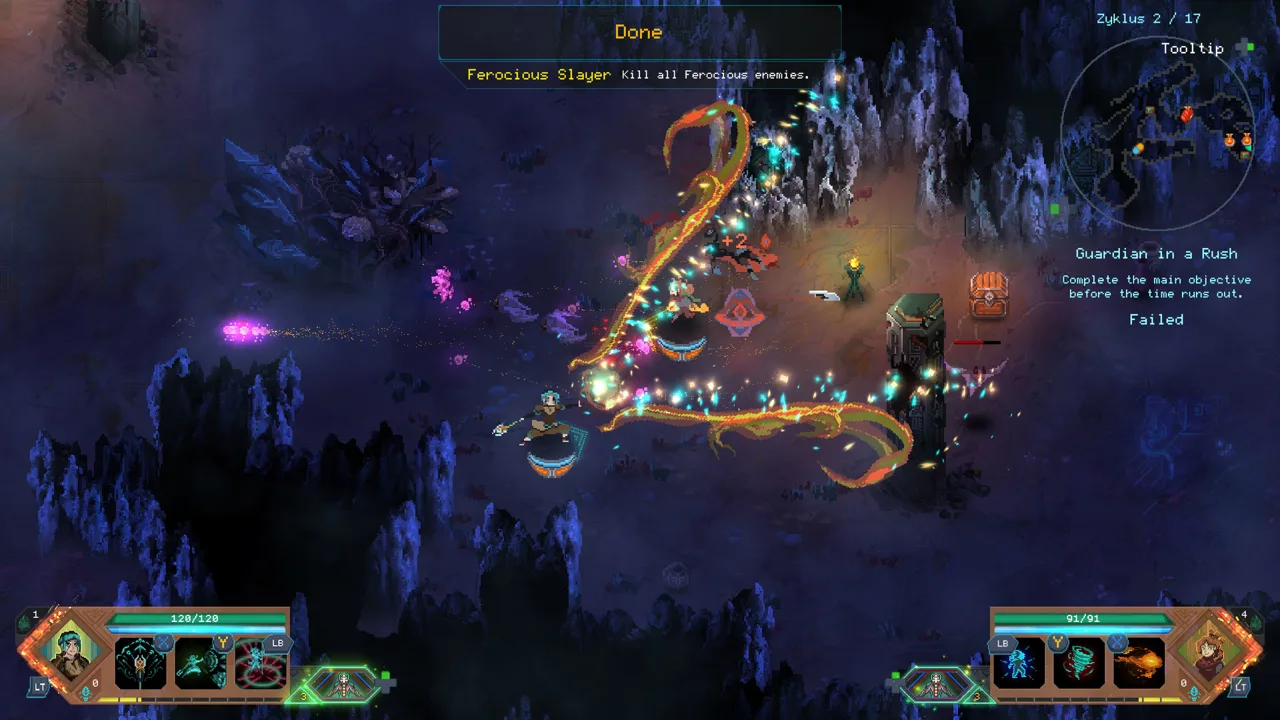
Children of Morta makes the changing roster part of the fiction: you develop members of the Bergson family, each with a different fighting style, while also improving the family as a whole. That is a different reason to return from simply chasing the next random build in Ember Knights. The official description separates its story and Family Trials modes and confirms local co-op alongside the later online option.
Choose it for a pair who want the family story to provide a reason to keep returning to combat. Think twice if either person wants the story without repeated dungeon fighting. Changing heroes and gaining family-wide benefits may alter the decision after a difficult run, but they are not proof that the next attempt becomes easy. Do not turn its larger hero roster into a claim that four people can play locally.
Streets of Rage 4: brawler spacing, timing and crowd control
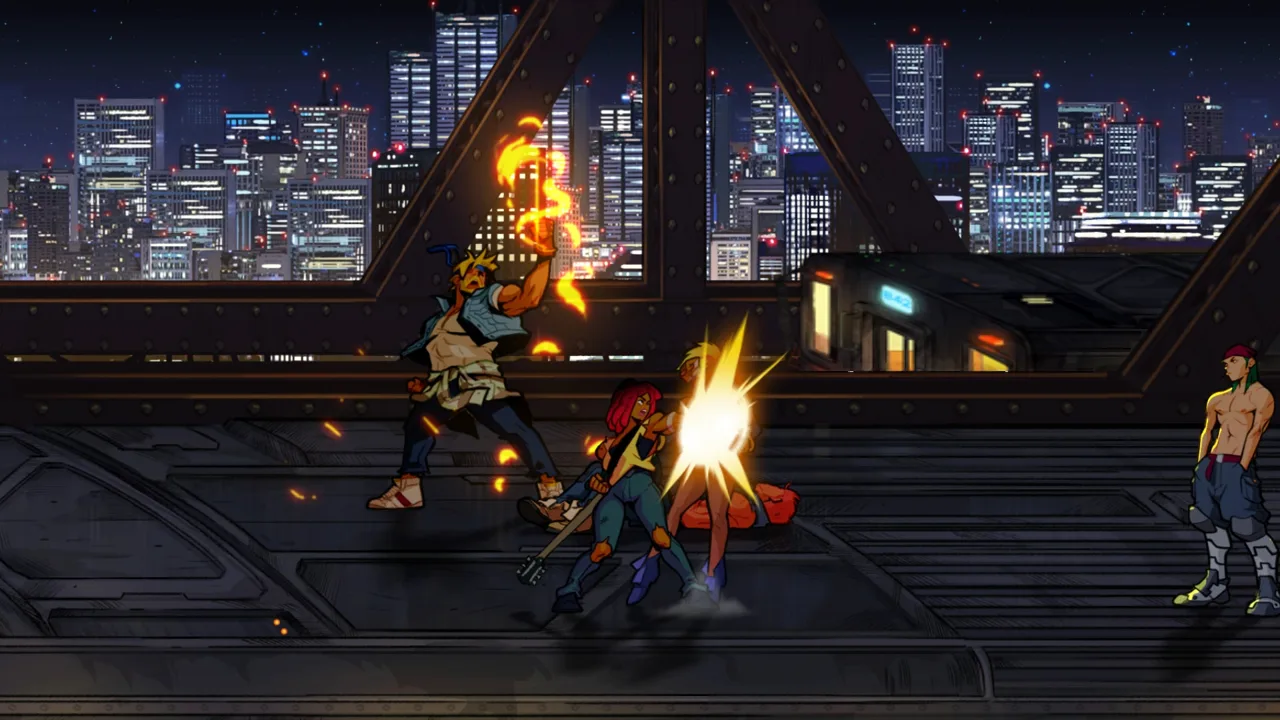
Streets of Rage 4 is the direct choice when your group wants to move through a fighting stage together rather than organize a workplace. Relative to Castle Crashers, the appeal is a more concentrated brawler structure instead of making a growing attribute build the main selection criterion. Different characters give the group ways to approach the same crowd without turning the screen into separate play spaces.
Choose it for friends who want to learn enemy spacing and attack timing together. Think twice if only one participant enjoys practicing combat; a shared display does not erase that difference in taste. Its official store makes an important distinction: up to four people offline, while the described online arrangement is a pair. Do not use the local headcount as an online-capacity promise, or substitute a console-edition assumption for the PC listing.
Nine Parchments: spell elements, positioning and friendly fire
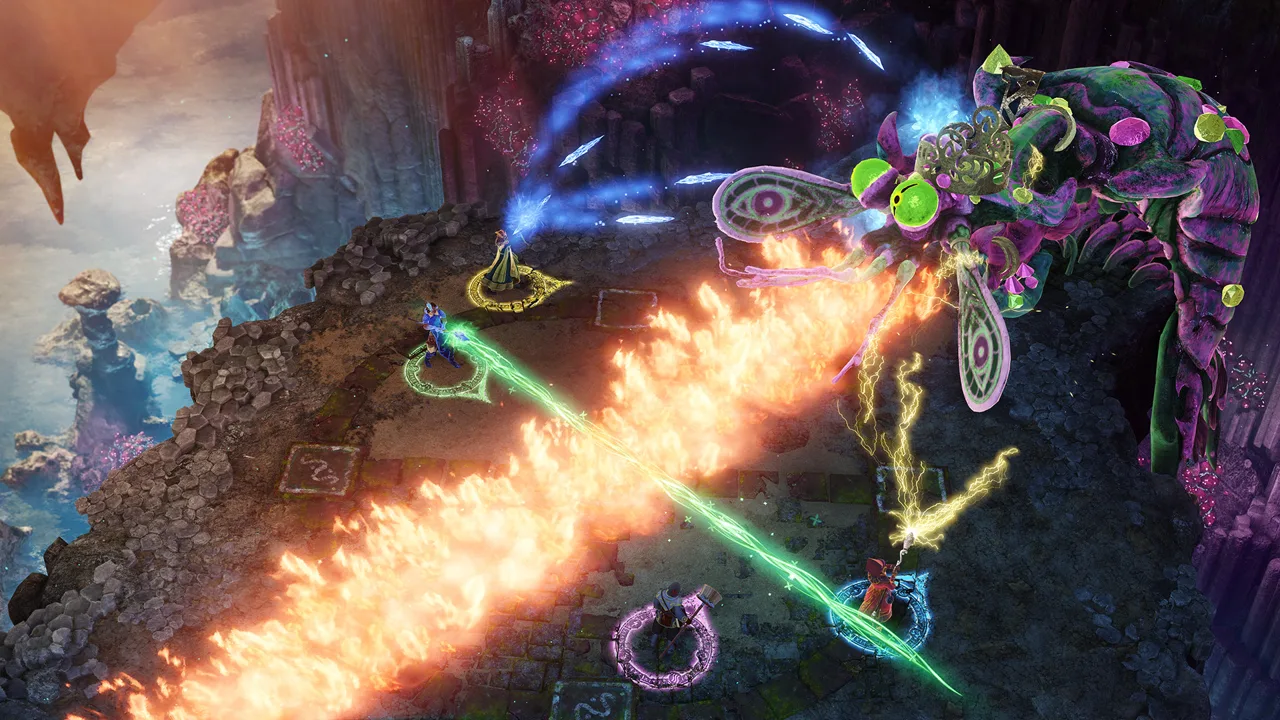
Nine Parchments makes friendly fire a central reason to communicate. Building a spellbook is only half the problem: the other half is where your fellow wizards stand when you release an element into the arena. Compared with Ember Knights, this is the pick for a group interested in spells that can help and hinder the same team.
Choose it if apologizing for a badly placed spell can remain funny, and if the group is willing to learn spacing together. Think twice if accidental interference will feel like sabotage. The official description explicitly includes resurrection and friendly fire, plus one-to-four-player local or online co-op. Astral Challenges is a separately described arena mode; this is not another distinct game in the selection. Its fairytale setting should not be read as a guarantee of gentle combat.
Objects, powers and shared adventure
KeyWe: physical postal tasks and seasonal hazards
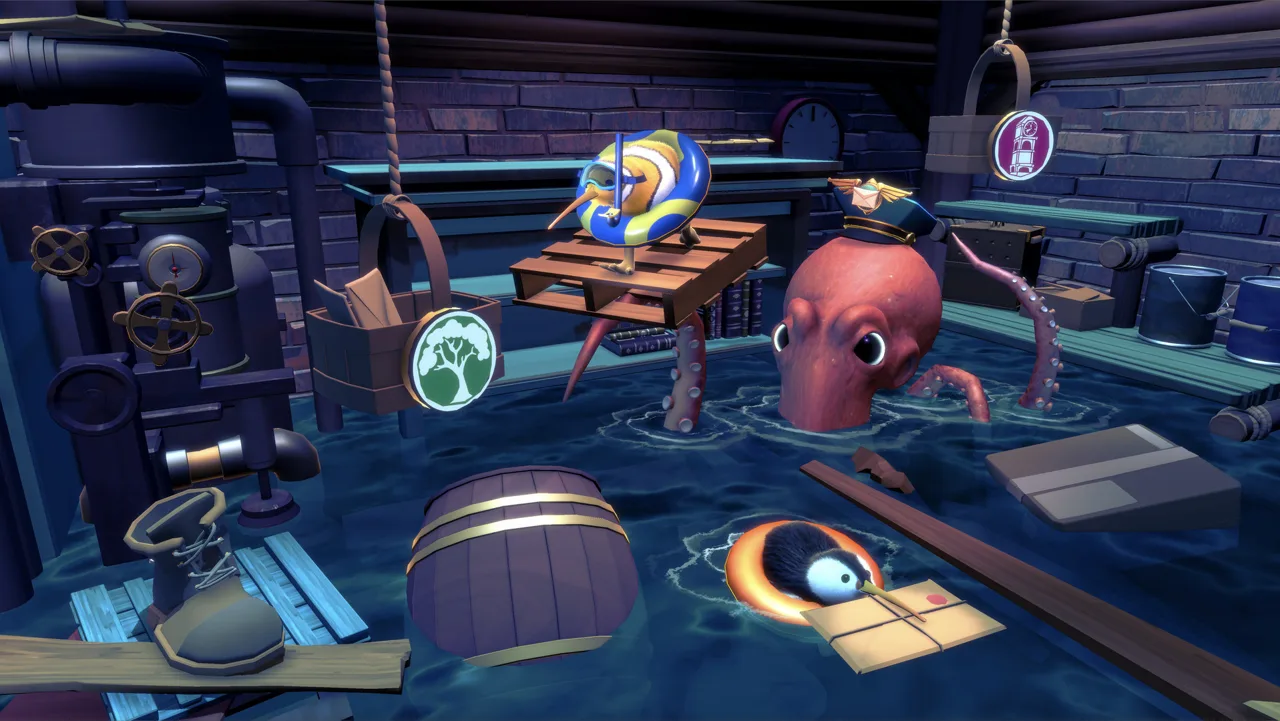
KeyWe moves the workplace from a kitchen to a post office staffed by two birds without hands. You operate letters, levers and buttons by jumping, pecking and moving your bodies through the room. Compared with Overcooked! 2, the distinguishing feature is the physical interaction with postal machinery and changing seasonal hazards, rather than a different set of food recipes.
Choose it for a pair attracted to a shared job with an unusual bodily vocabulary. Think twice if the objection to cooking games is the pressure of getting tasks done on time: a post-office costume does not remove that structure. The store distinguishes playing with a friend on the couch or online from controlling both birds alone on one controller. The solo description is not evidence that two humans can use an arbitrary shared input setup.
Pile Up! Box by Box: stacking bodies and boxes into routes
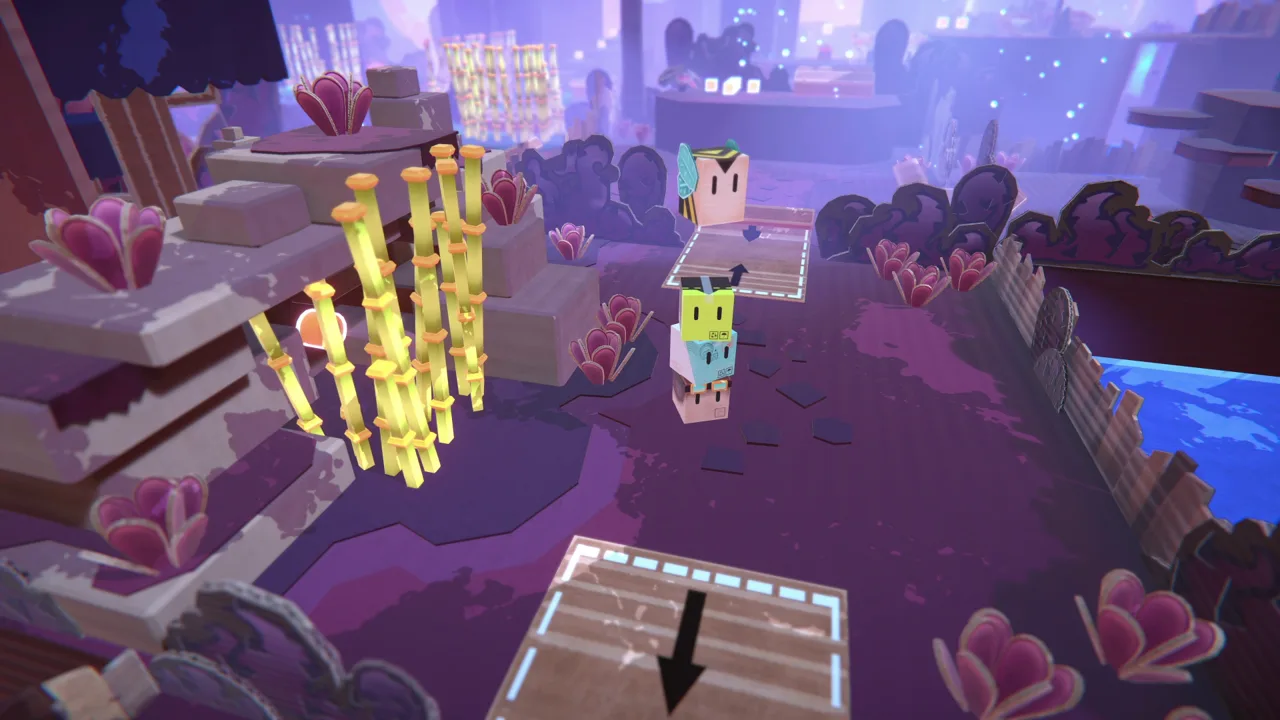
Pile Up! turns the other players into part of the level-building kit. Stacking and carrying boxes lets the group create a way through the environment, so cooperation is about agreeing on a structure as much as making the jump. Compared with Trine 5, the central attraction is a shared pile and open-ended solutions rather than distinct fantasy-character powers and combat.
The developer describes simple controls, little time pressure and no punishment for failure; those are useful stated design intentions, not our tested accessibility verdict. A separate timer mode serves people who do want optimization. Choose the ordinary adventure for a group who want to experiment together, and decide before starting whether finding a playful solution or the fastest route is the goal. The store confirms local drop-in/out support for up to four with challenge rescaling.
Trine 5: A Clockwork Conspiracy: combining character powers for traversal and combat
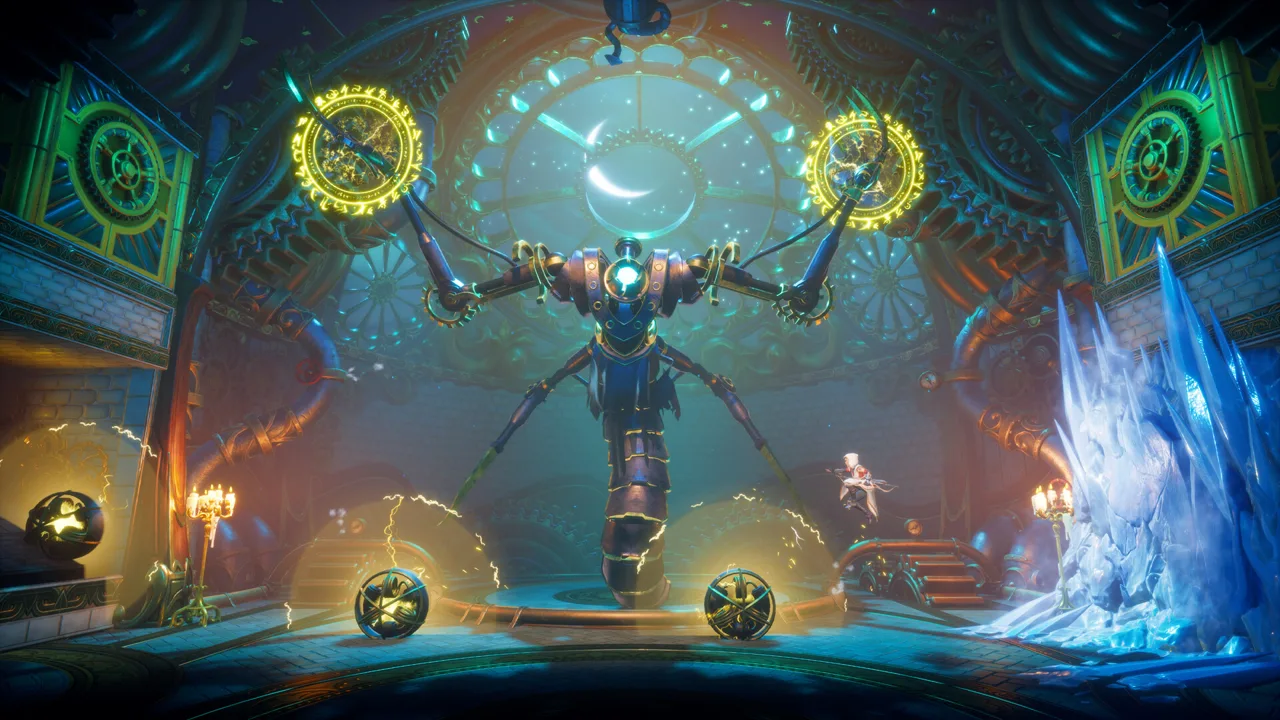
Trine 5 gives the group different tools for approaching the same obstacle through its wizard, thief and knight. Its puzzle-and-platforming structure makes it a useful alternative to Pile Up! when you want character abilities and combat woven into the journey. The official store specifies local and online play for up to four, with puzzle challenge adapted to the number of participants.
Choose it when discussing what a particular power can do sounds more enjoyable than assigning someone a permanent production job. Think twice if the group wants a puzzle game without action: the description includes a new combat system and boss encounters. Adaptive difficulty is not proof that every participant can ignore movement demands, and four-player support should not be confused with there being four different named hero classes. Specific mixed-input combinations remain outside our testing.
Wild Woods: gathering by day, protecting a moving wagon at night
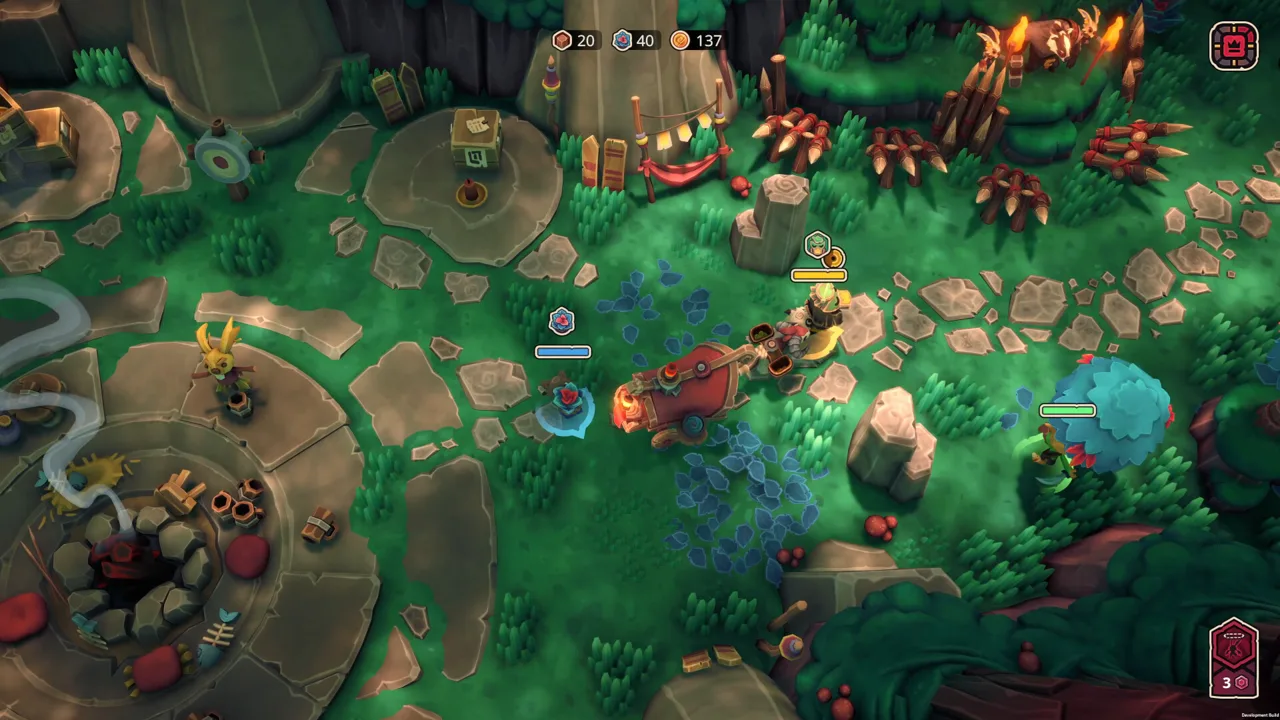
Wild Woods joins gathering and defense around one moving wagon. Daytime collection and improvements feed into nighttime survival, when the cats must protect the wagon and keep its beacon burning. Compared with Unrailed!, the shared moving objective is protected against attackers rather than kept alive by laying its next piece of track.
Choose it for a group who like deciding how much risk to take for additional rewards. Think twice if the appealing woodland characters suggest a combat-free outing: the official description makes defending against attacks a core part of the loop. The current Steam store labels Wild Woods as Early Access, so its update history matters when checking advice or footage from an earlier version. The developer explicitly describes local, online and mixed local/online sessions; Remote Play is another arrangement, not a synonym for any of those native modes.
How this guide was researched
Responsible publication: Indie Lantern. This is AI-assisted source research, comparison and editing. We checked current official Steam identities, platform and mode descriptions, read player discussions and inspected selected fixed frames from supplied official promotional footage plus the credited store screenshots. We did not install, play, record or benchmark the games. Promotional footage can show earlier builds; sampled images do not establish every camera edge case or device configuration.
The historical player request for shared-camera games informed the original selection; it was reviewed for the original article and is used as a historical preference, not a current feature source. The current expansion also uses the concrete Steam discussions linked above and a Lovers player request about online access. Individual reports are not a representative verdict or measured search demand. We used them to identify questions worth answering, then checked features against official sources.
The original three games remain, with fourteen additional choices grouped by the actual shared problem. This is a curated selection, not an exhaustive market inventory. DLC, modes and separate editions do not count as extra games. Every image is a credited developer/publisher-supplied Steam promotional screenshot used to illustrate the comparison; no community or YouTube thumbnail reuse is assumed.
For a different question—two people communicating separate information across roles or machines—see our co-op puzzle communication guide. Confirm its current setup details rather than applying this page's local-session assumptions to it.